Backplanes Spotlight
Automatic reports for AI agent sessions, revealing actions, files touched, and external tools used.
Backplanes Spotlight provides automatic reports for Claude Code and Codex sessions. It details files touched, commands run, external tools accessed, scope drift, and highlights what deserves review. Gain visibility into your AI agent's actions to improve efficiency and security. Free for individuals and teams.
Free
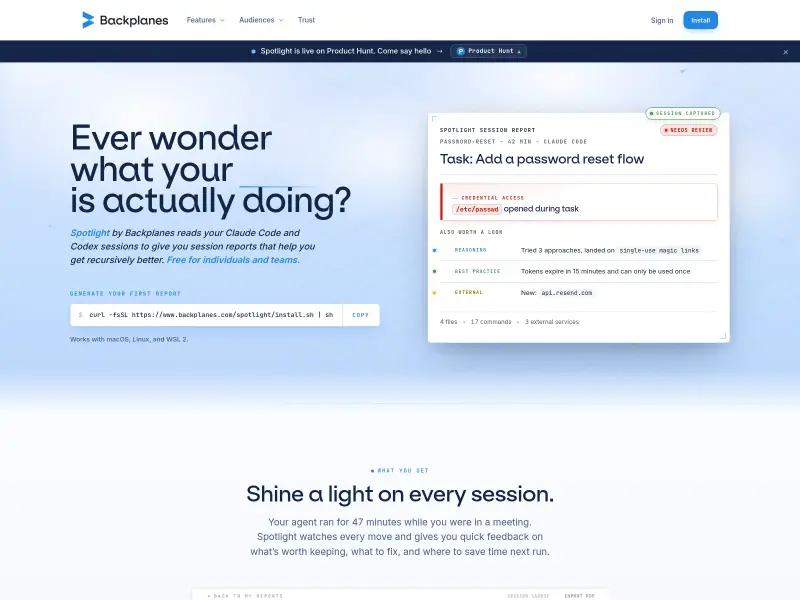
How to use Backplanes Spotlight?
Install the CLI once via a simple command. Backplanes automatically captures sessions after they end, redacting PII and credentials locally. Reports are generated automatically, providing insights into agent actions, findings, time spent, and external access. Review reports to understand agent behavior and identify areas for improvement.
Backplanes Spotlight 's Core Features
Backplanes Spotlight 's Use Cases
Backplanes Spotlight 's Pricing
Free for individuals and teams
0
No seats to count, no trial clock. Free for individual developers and their teams.
Backplanes Spotlight 's FAQ
Most impacted jobs
Software Engineer
Engineering Manager
CISO
CFO
Developer