MD+HTML Reader
A local-first Mac app for reading AI-generated Markdown and HTML from project folders.
MD+HTML Reader is a macOS application designed for efficiently reviewing AI-generated Markdown and HTML documents. It filters project folders to display only relevant documentation, offering a clean, read-only interface. Features include Markdown rendering with outline and Mermaid diagram support, HTML preview, and quick access to recent documents, enhancing the human side of AI collaboration.
Freemium
2
How to use MD+HTML Reader?
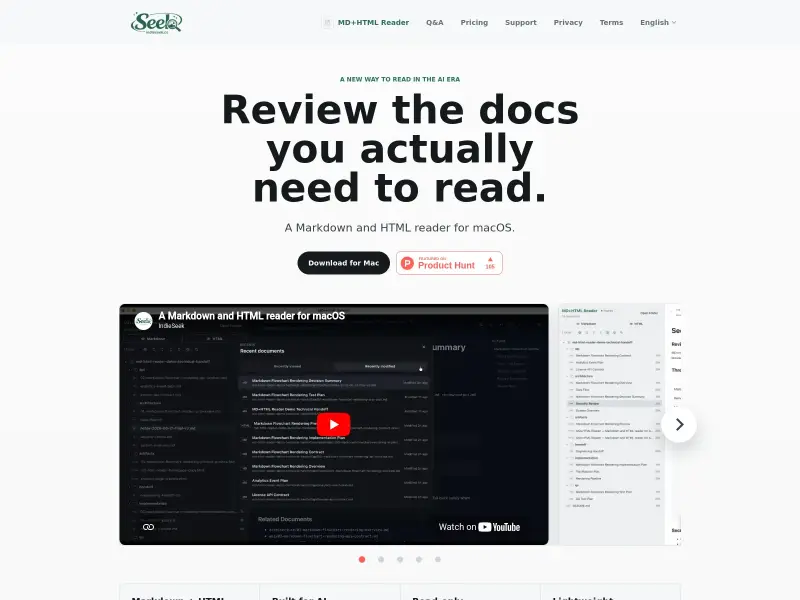
Download and install MD+HTML Reader on your Mac. Open your project folders to let the app scan for Markdown and HTML files. Use the sidebar to navigate through recent documents or search for specific files. Click on a document to view its rendered content in a clean, distraction-free interface. The app is read-only, ensuring your source files remain untouched.
MD+HTML Reader 's Core Features
MD+HTML Reader 's Use Cases
MD+HTML Reader 's Pricing
Free trial
$0
Use the full local reader before choosing a plan. No payment is required to start the trial.
Monthly access
$2 / month
Ongoing access to MD+HTML Reader on your Mac. The subscription is billed by Creem and can be managed through Creem.
Lifetime access
$20 one-time
One-time purchase for MD+HTML Reader access, without a monthly subscription.
MD+HTML Reader 's FAQ
Most impacted jobs
Developer
Product Manager
Technical Writer
Indie Hacker
Designer