Synopsule
Private meeting transcripts and notes for Mac and iPhone, running entirely on your device.
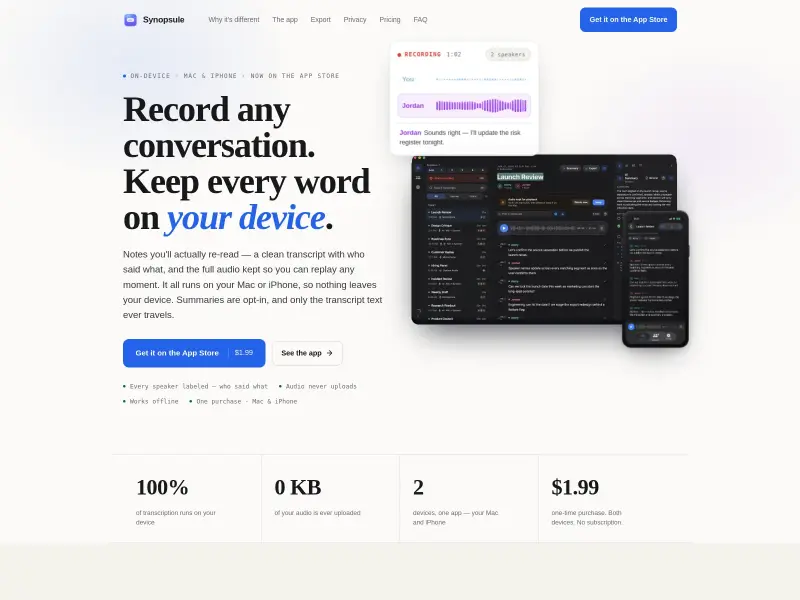
Synopsule provides private, on-device meeting transcription for Mac and iPhone. It generates speaker-labeled transcripts, keeps full audio for replay, and exports to open formats like Markdown. All processing, including AI summaries (optional), happens locally, ensuring your data never leaves your device. It's a one-time purchase for both platforms.
Paid
1.99
How to use Synopsule?
Install Synopsule on your Mac or iPhone. Grant microphone access. Select a Whisper model. Press record to capture conversations. The app automatically transcribes, labels speakers, and saves the transcript locally. You can then export the transcript, generate summaries using your own AI key or on-device models, or connect directly to AI apps on Mac.
Synopsule 's Core Features
Synopsule 's Use Cases
Synopsule 's Pricing
Synopsule
$1.99
One-time purchase for Mac and iPhone.
Synopsule Pro
$4.99/mo
Optional subscription for one-tap summaries, covers both devices.
Synopsule 's FAQ
Most impacted jobs
Developer
Journalist
Student
Researcher
Business Professional
Podcaster
Content Creator