Vox
On-device AI dictation for Mac and Windows that never sends audio to the cloud.
Vox is an on-device AI dictation app for Mac and Windows. It uses local models like Whisper or Parakeet for transcription and Apple Intelligence or Gemma 4 for cleanup. No cloud round-trip, no account required, no telemetry. Just press a hotkey, speak, and paste the cleaned text. Works offline after initial model download. Free for personal use; commercial licenses start at $12/seat/mo.
Freemium
$12/seat/mo
How to use Vox?
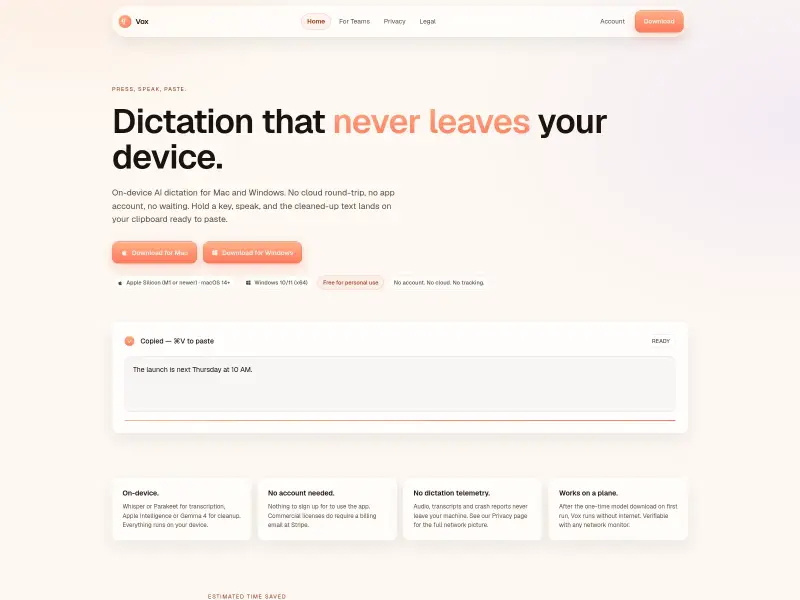
1. Download and install Vox on your Mac (Apple Silicon, macOS 14+) or Windows (x64, Windows 10/11). 2. On first launch, the app downloads a transcription model. 3. Press the default hotkey (⌘⌥. on Mac, Ctrl+Alt+. on Windows) and hold it while speaking. 4. Release the hotkey — the cleaned-up text is automatically copied to your clipboard. 5. Press ⌘V (Mac) or Ctrl+V (Windows) to paste the text into any application. Vox supports multiple voice modes that activate based on the active app (e.g., email, chat, code comments). No setup or account needed.
Vox 's Core Features
Vox 's Use Cases
Vox 's Pricing
Personal
Free
Personal use
Commercial
$12/seat/mo
For companies with more than one person
Vox 's FAQ
Most impacted jobs
Developer
Writer
Journalist
Student
Executive
Healthcare professional
Lawyer