Backgrind
An always-on-top overlay window for your AI coding agent, keeping you in flow.
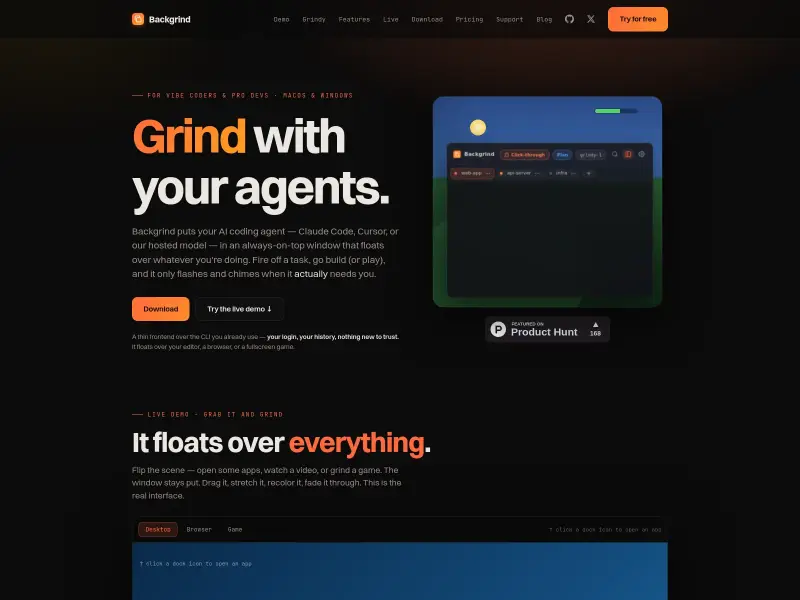
Backgrind is an overlay window for AI coding agents like Claude Code and Cursor, designed to keep you in your flow state. It floats above any application, notifying you only when your agent needs input. Features include click-through mode, multi-agent tabs, and voice input, available on macOS and Windows.
Freemium
0
How to use Backgrind?
Install Backgrind on macOS or Windows. Choose your AI agent (Claude Code, Cursor, or the hosted Grindy model). The overlay window floats above your current application. Fire off tasks to your agent and receive notifications only when human input is required. Utilize features like click-through mode, multi-agent tabs, and vibe code mode for an uninterrupted workflow.
Backgrind 's Core Features
Backgrind 's Use Cases
Backgrind 's Pricing
Free
$0
24 hours free
Plus (Monthly)
$9
/mo billed monthly
Plus (Yearly)
$7.50
/mo billed yearly
Pro (Monthly)
$59
/mo billed monthly
Pro (Yearly)
$47.17
/mo billed yearly
Backgrind 's FAQ
Most impacted jobs
Software Engineer
Developer
Programmer
Game Developer
AI Developer